Inputs & Outputs
MIDI Input
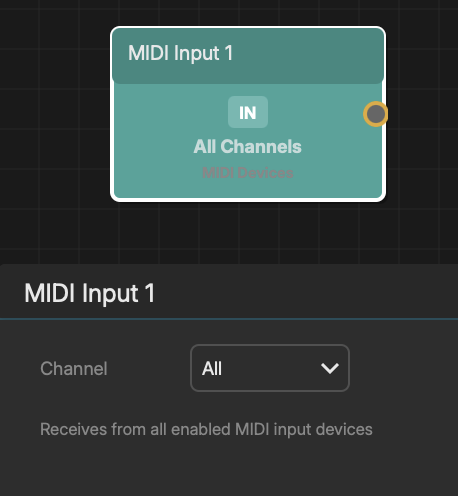
The MIDI Input node receives notes from external MIDI controllers or applications and feeds them into the composition graph.
Which devices Noemi listens to at all is set once for the whole project, in File > MIDI Settings (Cmd+.). Each MIDI Input node then picks which of those it wants: a single device, or All devices.
SETUP
- 1Enable the controllers you want in File > MIDI Settings
- 2Add a MIDI Input node via Modules > MIDI Input
- 3Pick a MIDI device, or leave it on "All devices"
- 4Choose a MIDI channel (1-16, or All to receive on all channels)
- 5Connect the node's output to instruments, transformers, or other MIDI-accepting nodes
Multiple MIDI Input nodes can coexist, each on its own device, its own channel, or both - so two controllers can drive two separate chains without touching each other. Two nodes set the same way both receive the same notes.
Use the refresh button next to the device list to pick up a controller plugged in after the node was made.
Notes played on the QWERTY keyboard reach every MIDI Input node, whichever device it is set to. They have no device behind them, so filtering them out would make the computer keyboard stop working the moment a node was bound to a controller.
A device that is unplugged is remembered rather than reset - the node keeps filtering on it, shows "(not connected)", and starts receiving again when the controller comes back.
To split one controller's channels out to different destinations, set each MIDI Input node to a different channel - or use a single node set to All feeding a MIDI Splitter, which sorts by incoming channel.
The node shows an activity indicator for incoming notes.