Mix, Master & Perform
Mastering Chain
Mastering · The final signal chain
0:37The mastering chain is a 4-stage processor on the master output, accessible from the Mastering button in the mixer panel header. Each stage can be independently bypassed, and the entire chain has a global bypass toggle.
The four stages process audio in fixed order:
STAGE 1: PARAMETRIC EQ (8 BANDS)
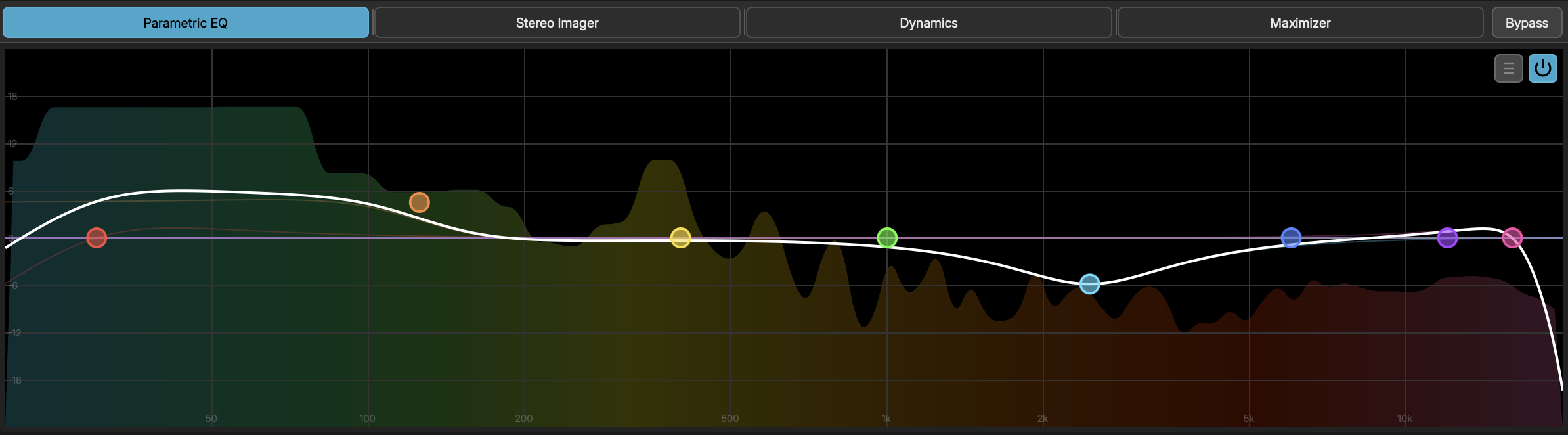
- Band Types - High Pass, Low Shelf, Bell, High Shelf, Low Pass
- Per Band - Frequency, Gain (dB), Q (bandwidth), Enable toggle
- Spectrum - Rainbow gradient analyzer when active, grey when EQ is bypassed
Use the EQ to shape the overall tonal balance of your mix.
STAGE 2: STEREO IMAGER (4 BANDS)
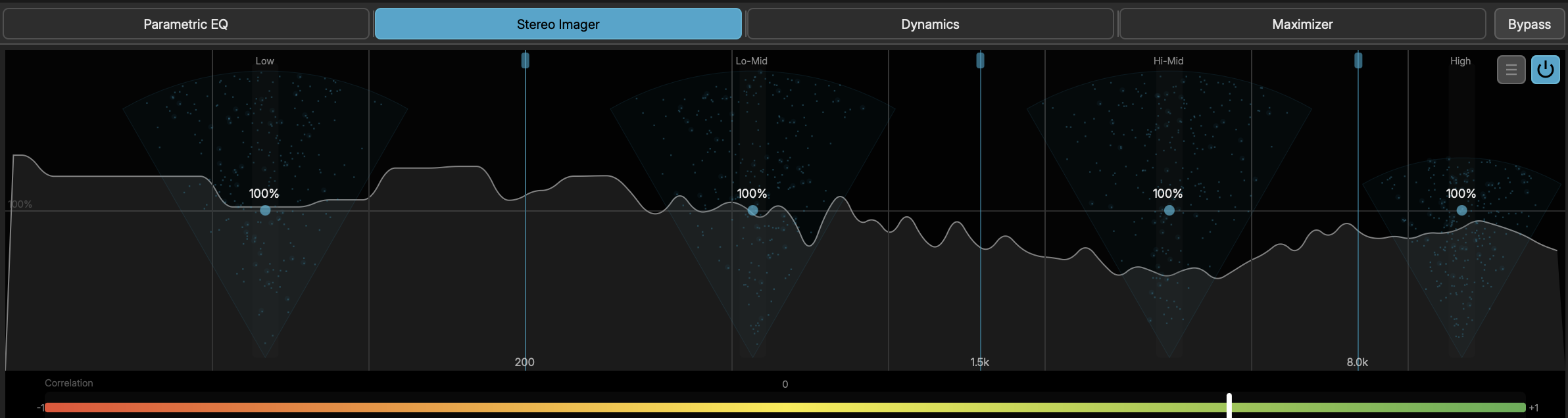
- Crossovers - 3 adjustable crossover frequencies dividing audio into 4 bands
- Width - Per-band stereo width (0 = mono, 1 = normal, 2 = wide)
- Correlation - Meter showing stereo phase correlation (-1 to +1)
- Visualization - Animated particle fan display per band showing stereo field spread
Narrow the low end for a tight center, widen the highs for air and space.
STAGE 3: MULTIBAND DYNAMICS (4 BANDS)
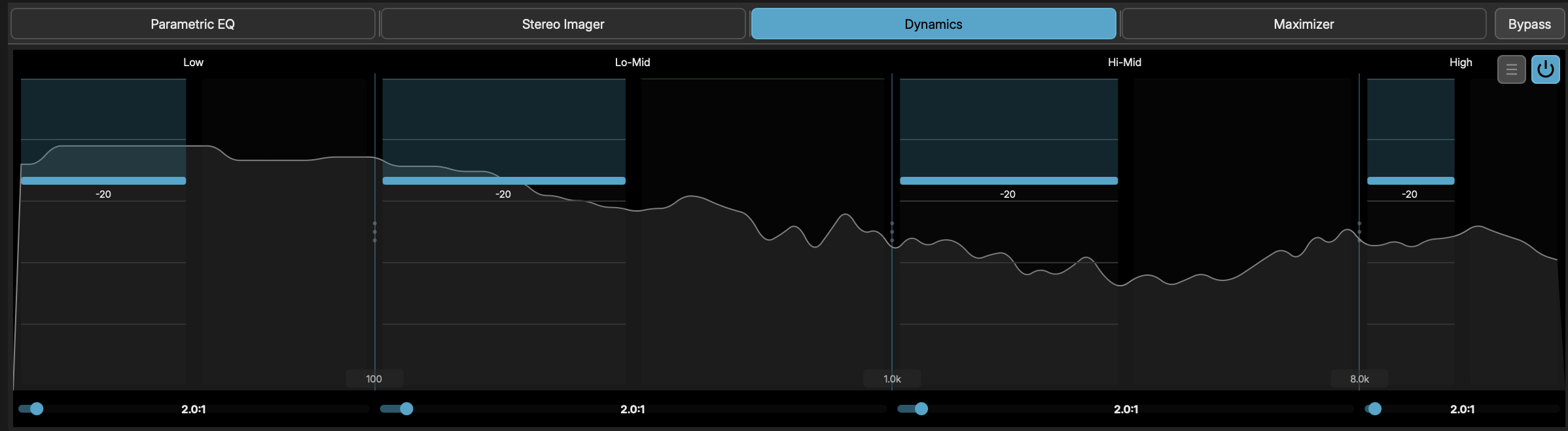
- Crossovers - 3 adjustable crossover frequencies
- Per Band:
- Threshold - Compression threshold (-60 to 0 dB)
- Ratio - Compression ratio (1:1 to 20:1)
- Attack - Attack time (0.1 to 100 ms)
- Release - Release time (10 to 1000 ms)
- Makeup - Makeup gain (0 to 24 dB)
- Knee - Soft knee width (0 to 12 dB)
- Gain Reduction - Per-band GR metering
Control dynamics independently across frequency bands for a polished, balanced master.
STAGE 4: MAXIMIZER
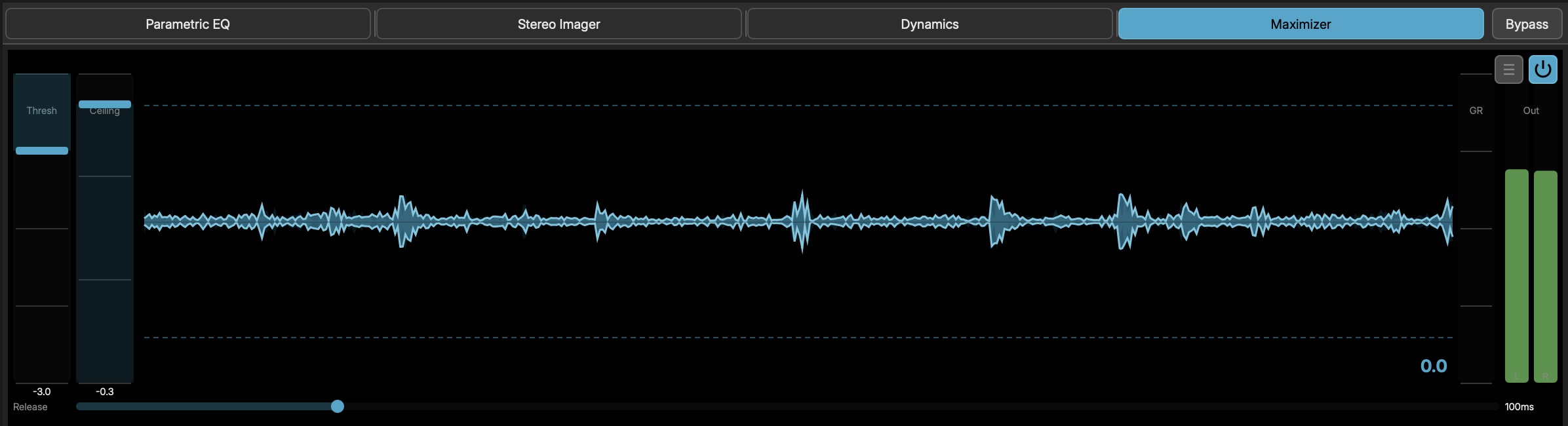
- Threshold - Limiting threshold (-12 to 0 dB)
- Ceiling - Output ceiling (-3 to 0 dB)
- Release - Release time (10 to 500 ms)
- Metering - Gain reduction meter and output peak meters (L/R)
- Waveform - Rolling waveform history showing input/output peaks and gain reduction
Push the overall loudness while preventing clipping.
MASTERING PRESETS
Each stage has its own preset library. Click the preset button on any stage tab to browse and load presets. Imager and Dynamics presets also reset crossover frequencies to their default positions.
The mastering chain state persists in the project file.