SampleSift
Find samples by sound, fast.
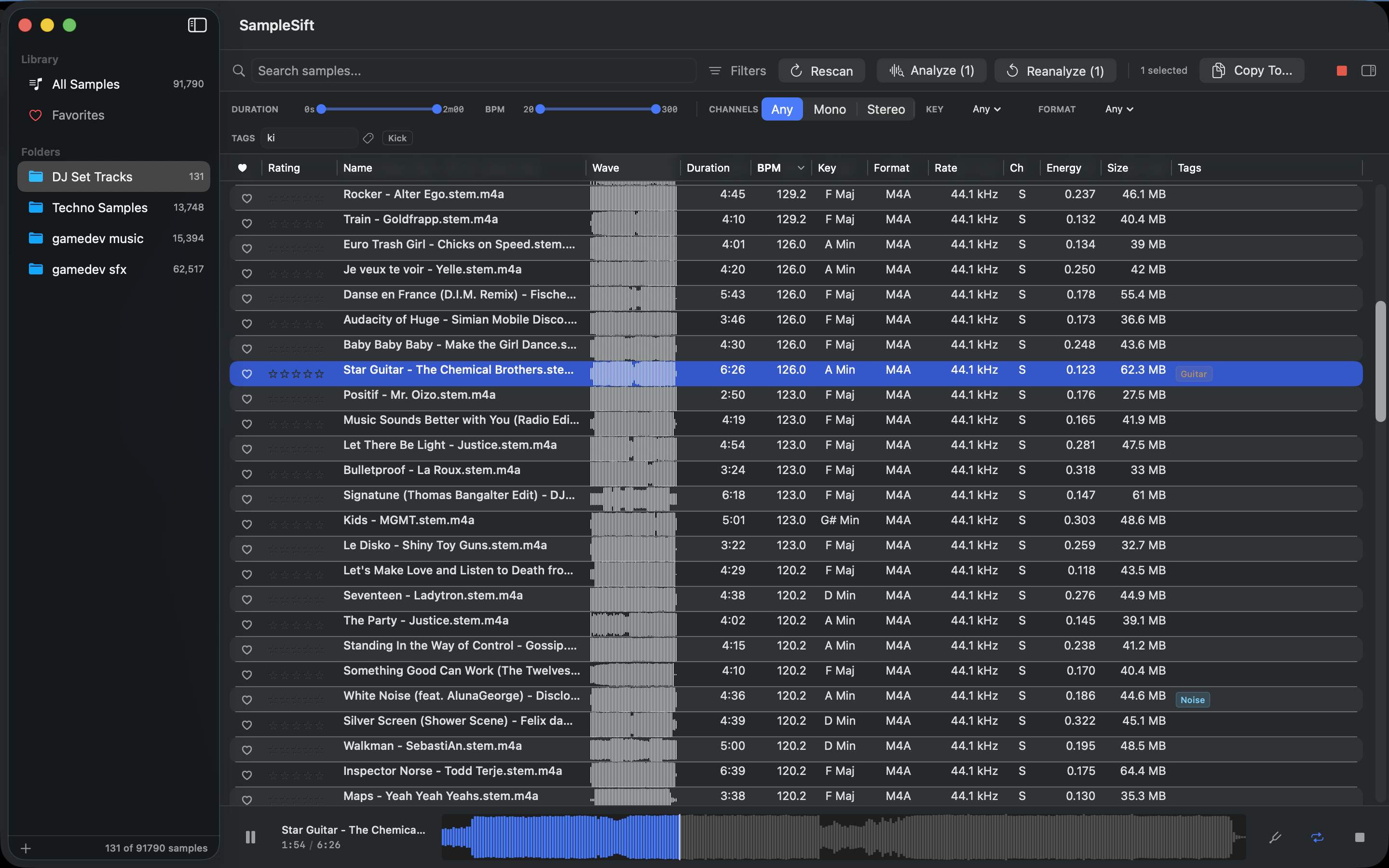
The audio sample browser for producers and DJs who have outgrown Finder. Point it at your folders and it scans, analyzes each file locally for BPM, key, energy, and content tags, and gives you a fast, searchable library that stays on your machine - no cloud, no account, no subscription.

Free 7-day trial, then a one-time $4.99 IAP - no subscription.
Tagging that just works
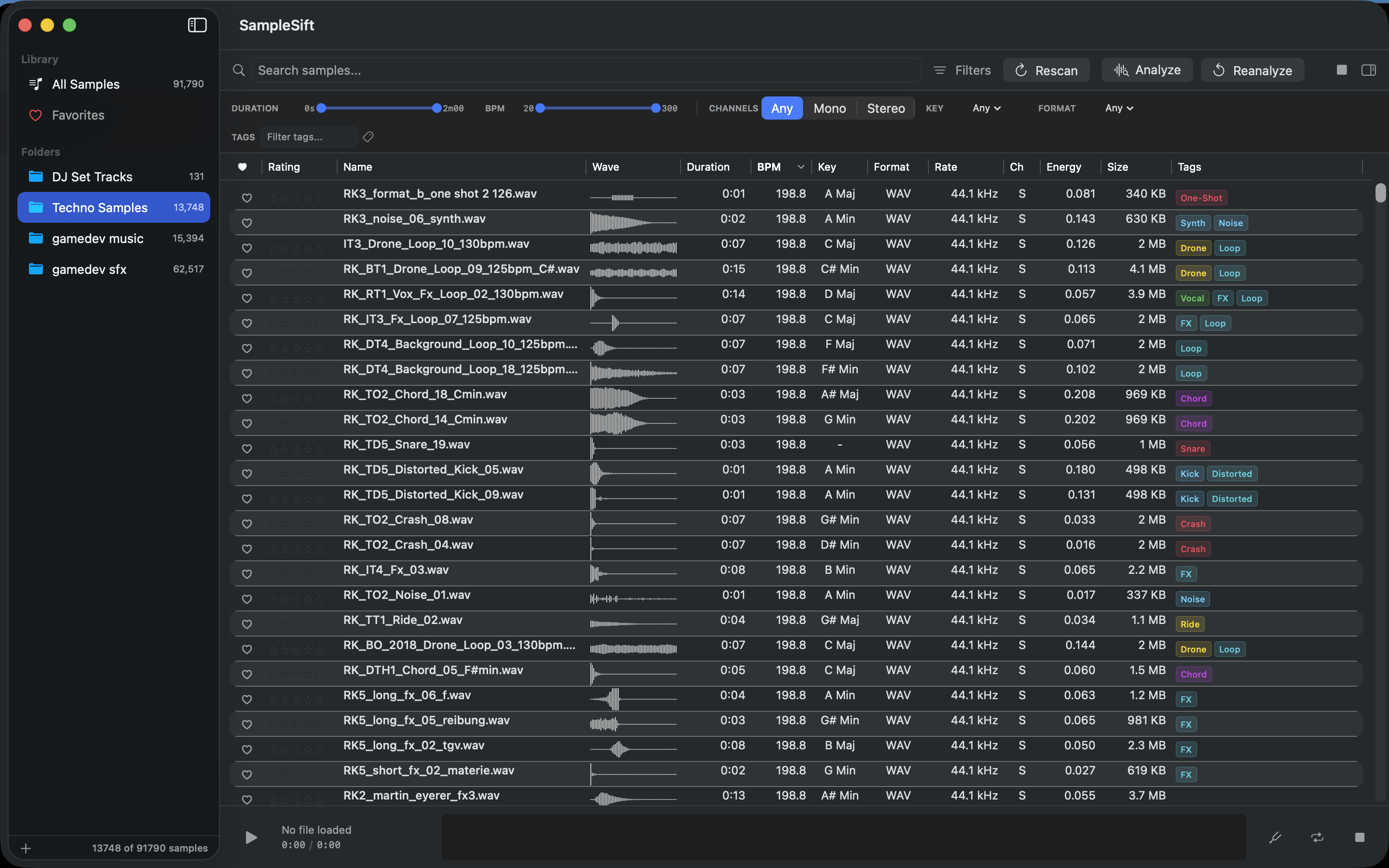
Point SampleSift at your folders and it tags every file automatically - reading sample names and listening to the audio on-device for instrument type, while detecting BPM, musical key, and energy. No setup, no configuration.
Smart filename reading
Understands real sample-pack naming, including drum-machine shorthand (BD, SD, HH, OH), plurals and run-together names, and Loops/One-Shots folders. "dd_kick_punchy.wav" becomes Kick · Drum · Punchy before a single sound plays.
Click to filter by tag
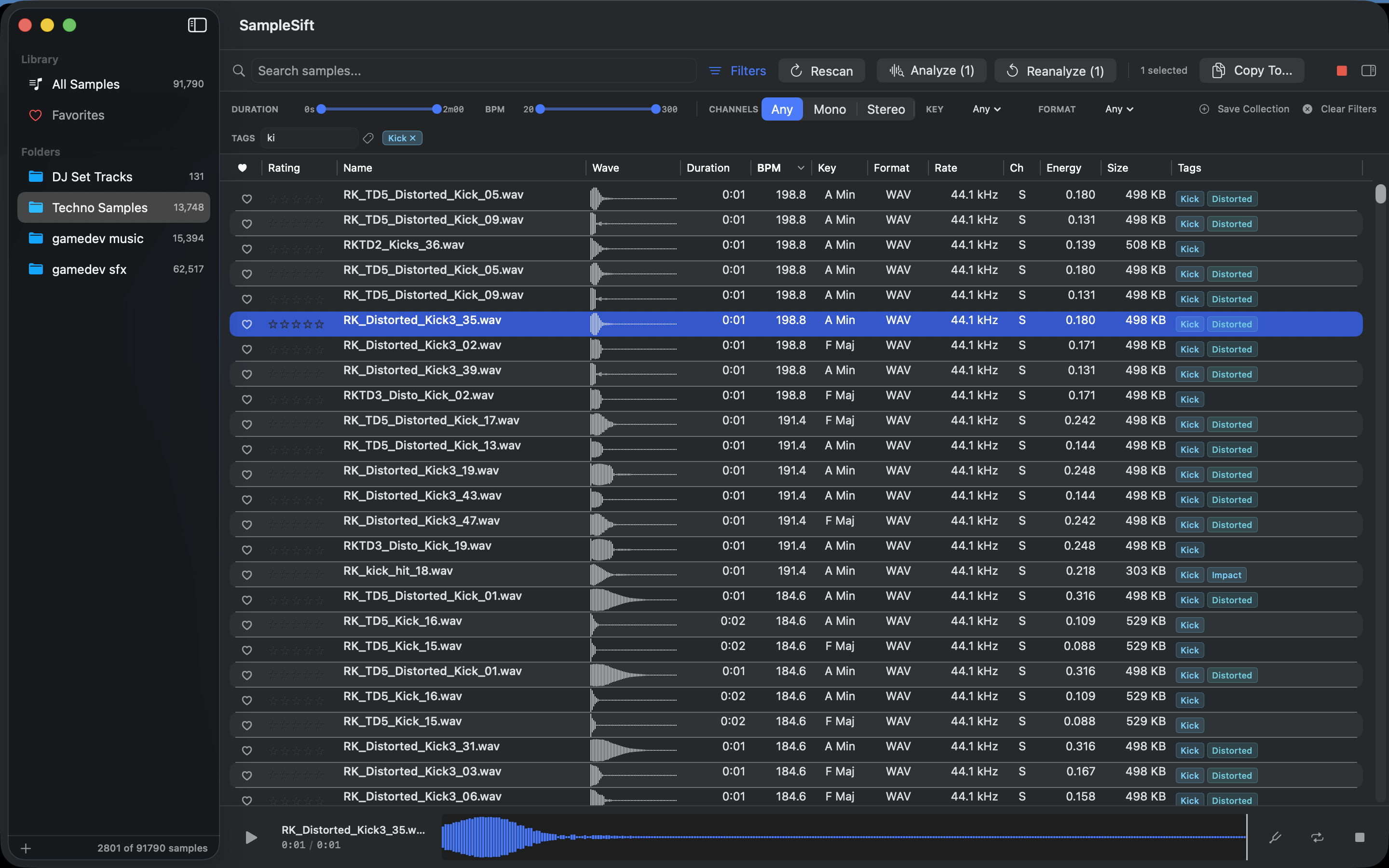
Every known tag is a button - click to filter your library instantly instead of typing. A one-tap Loops / One-Shots switch and clearly readable color-coded tags make a big pack quick to step through.
Smart filters & collections
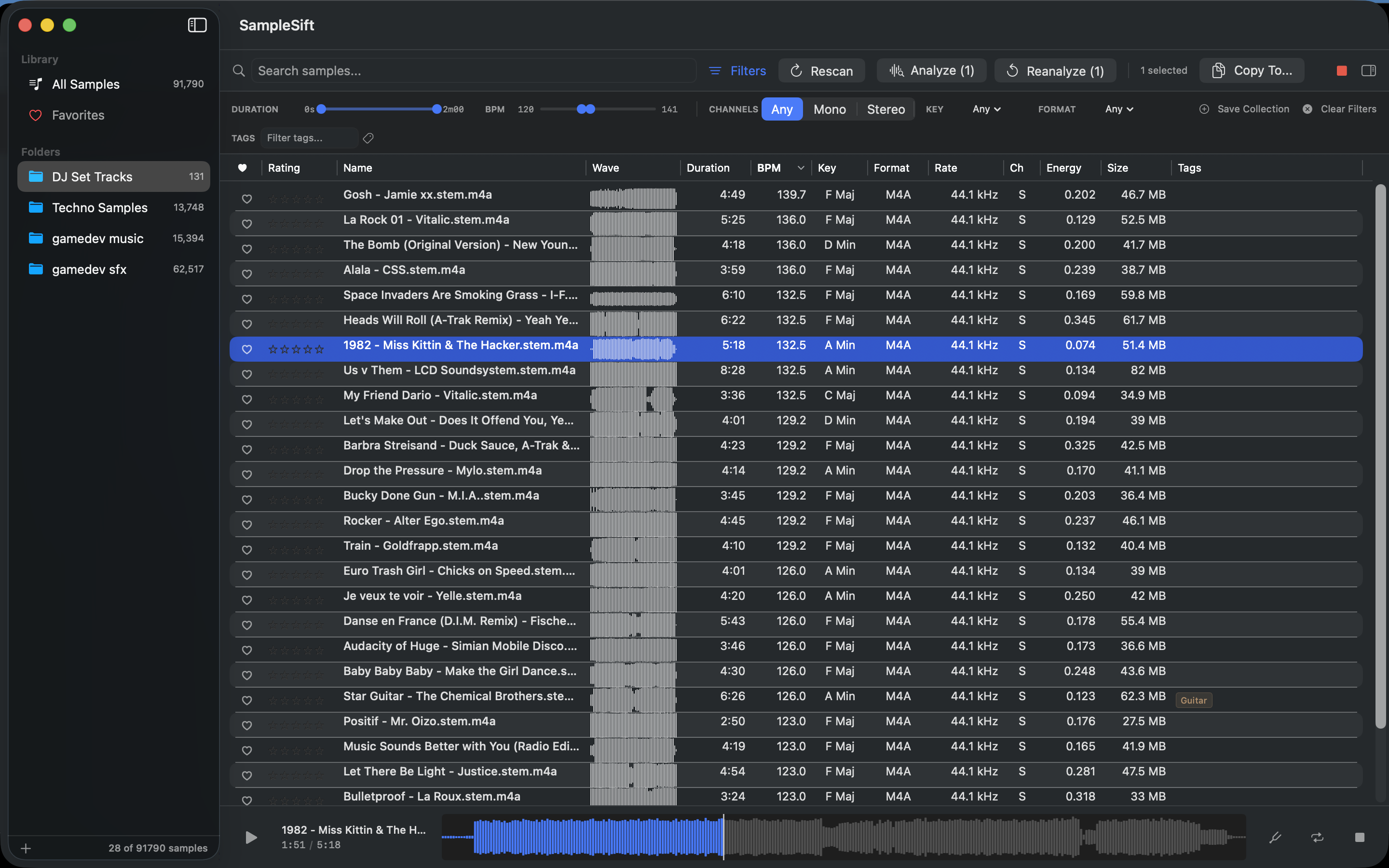
Narrow by BPM range, key, channels, format, energy, rating, and tags. Combine filters freely, then save the result as a smart collection you can return to with one click.
Choose your audio output
Monitor through whatever you mix on. Pick your output device - internal speakers or an external interface / sound card - right from Preferences, so previews play through your own rig.
Audition with waveform preview
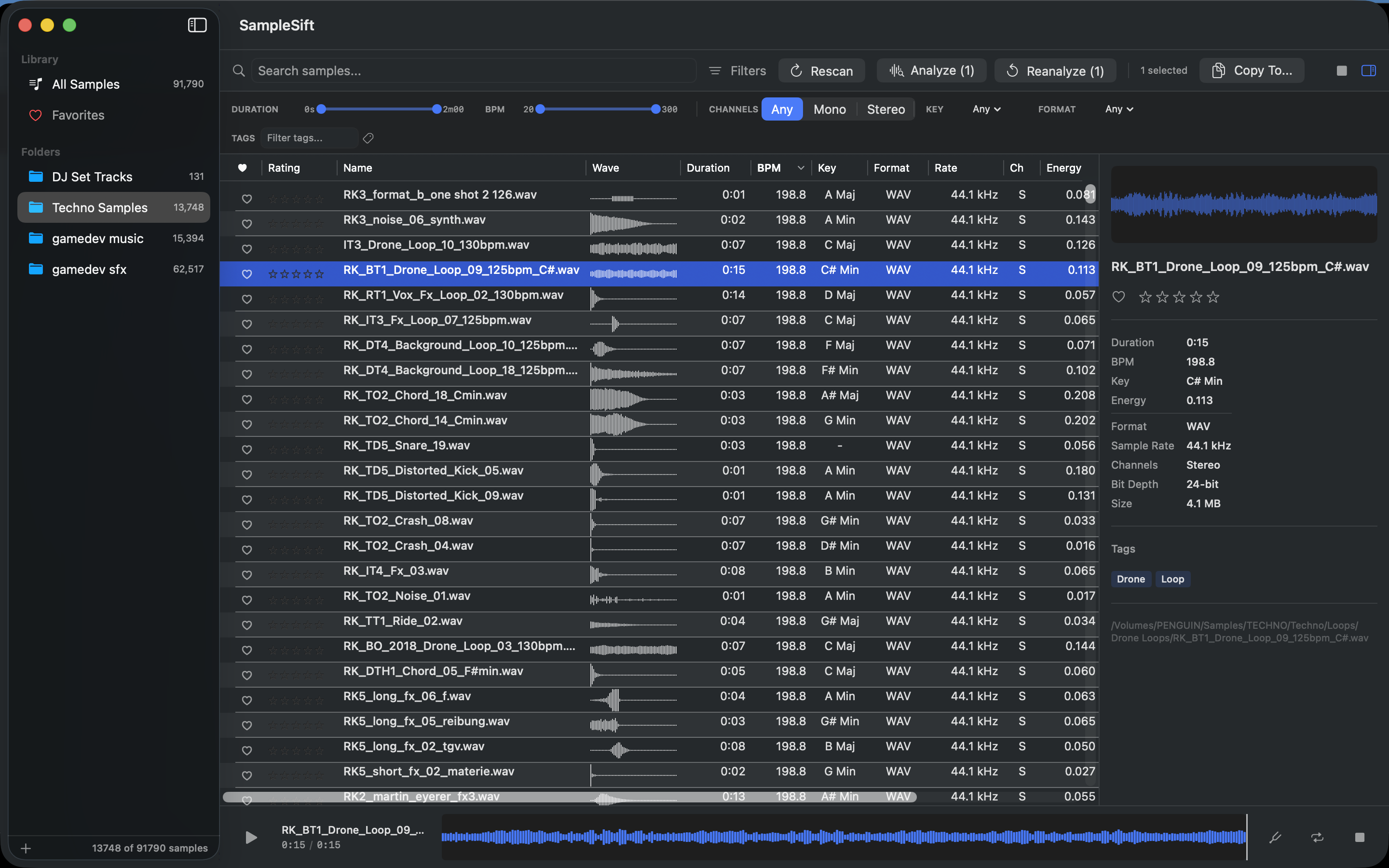
Click a file to hear it. Spacebar to play and pause, loop mode for one-shots, and multi-selection playback for stepping through a folder.
Keyboard shortcuts
Keep your hands on the keys - shortcuts for Edit Tags, Find Similar, Copy Path, Open With, plus reveal-in-Finder and stop, so curating moves at your pace.
Export curated sets
Filter to exactly what you want for a session, then Copy To drops the files straight into your DAW's project folder.
Watch folders & find duplicates
New files appear automatically as they land in a watched folder - no manual rescan. The duplicate finder catches redundant copies by content, not just filename.
Privacy
SampleSift collects no data and makes no network connections. Your library - its contents, filenames, tags, and analysis - never leaves your Mac. The only directories it can read are the ones you explicitly grant via the macOS App Sandbox.
Requirements
- macOS 14 (Sonoma) or later
- Apple Silicon or Intel
- WAV · AIFF · MP3 · M4A · AAC · FLAC · OGG · CAF
Support
Questions or bugs? Email support@tweakbench.com or visit the support page.